
iPlum: 2nd Phone Number App
iPlumBusiness
3.81.22K Reviews
- Version
- 6.4.2
- Installs
- 1.00M
- Age Rating
- Everyone
Screenshots
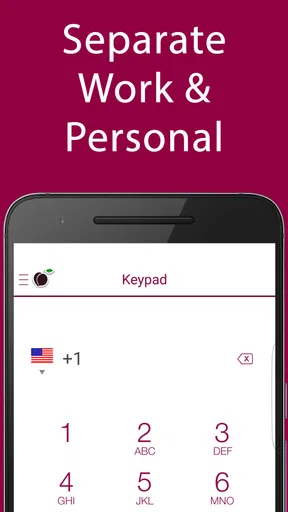
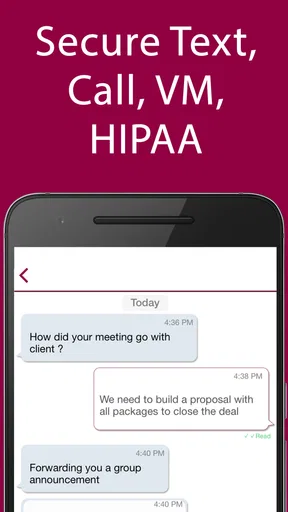
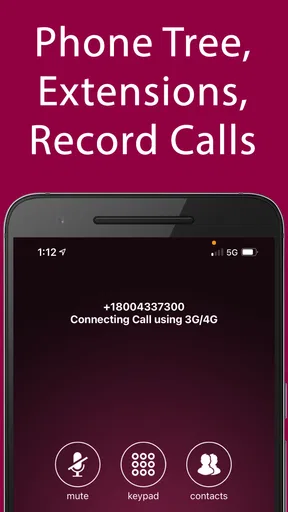
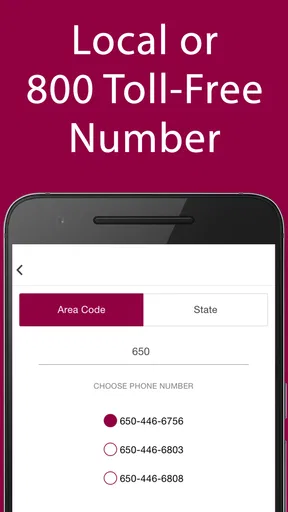
Our Review of iPlum: 2nd Phone Number App
 Analysis by Appyee
I find a second number most useful when it solves a specific problem: keeping client calls apart from family chats, sharing a contact number for a short project, or giving a small business a more organised way to handle incoming enquiries. iPlum is built around that kind of separation. It is a business app from iPlum, and its central appeal is straightforward: a second phone number managed from the phone you already carry.
That focus also makes the app easier to judge. It is not a replacement for every part of a mobile plan, and it will not magically create good boundaries if you answer every call on both lines. The value comes from choosing what the second number is for, then using it consistently. I would think of it as a practical work line rather than a general-purpose upgrade to a personal phone.
A repeatable routine for calls and messages
My preferred way to use a second-number app is to decide on a clear rule before sharing the number. For example, I might give it to customers and service providers while keeping friends and family on my usual number. That makes an unfamiliar incoming call easier to interpret, and it gives me a simple boundary when the workday ends: I can stop checking the business line without abandoning my personal one.
A realistic day could start with checking iPlum for a new customer message, returning calls between appointments, and then handling personal communication through the regular phone line. If a caller leaves a voicemail, that gives me a prompt to follow up without needing to make my private number public. The app is most useful when I treat this as a small workflow, not just another icon that produces more notifications.
Choosing the right fit before relying on it
A second number can help freelancers, independent service providers, and small-business owners who want a separate contact point without carrying another handset. It may also suit someone who posts a number publicly for bookings or enquiries and would rather not use their personal line for that purpose. The business framing is important: people who need a shared team phone system, a full customer-management platform, or a guaranteed substitute for carrier service should compare those needs carefully before settling on an individual second-number app.
It is also worth distinguishing privacy from anonymity. A separate number can keep your everyday number out of routine business conversations, but it does not mean every interaction is untraceable or that you should use it to avoid normal responsibilities. I would share the work number selectively, keep important contacts informed if it changes, and avoid assuming that a second line automatically provides every privacy protection a particular situation might require.
Where it sits among familiar alternatives
The simplest alternative is carrying two phones, which creates a stronger physical separation but adds another device to charge, carry, and keep track of. A second-number app is more convenient if your goal is to manage two lines on one phone, though that convenience depends on having the app available and being comfortable handling both lines from the same device.
Using a personal number for everything costs less effort at first, but it can make it harder to tell which calls need a work response and may expose that number to more people than you intended. A dedicated business phone service may be a better match for an established team or a more elaborate phone setup. I see iPlum as a middle ground: more organised than giving every contact one personal number, but not automatically the right answer for businesses that need multiple staff, specialised call routing, or a complete communications system.
Setting Up and Getting Started
The setup process for iPlum is as smooth as a freshly buttered slide. After downloading the app from either the Google Play Store or the Apple App Store, you're prompted to create an account. You can sign up using your email or just link your Google or Apple account for a quicker start.
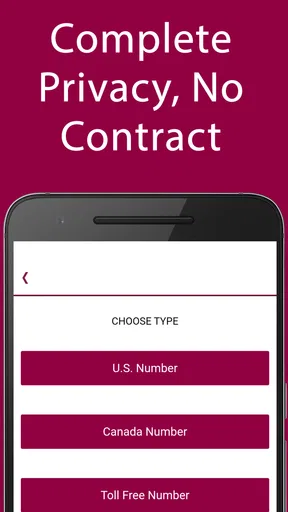
Once you’re in, selecting a new number is a breeze. You get to choose from a list of available numbers from various regions, which is perfect if you’re looking to maintain a local presence in a different area.
Features Galore
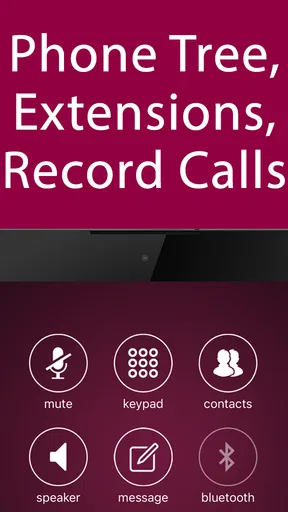
What really sets iPlum apart are its features. Not only does it provide a second phone number, but it also packs a bunch of extras that make it feel like a full-fledged phone service. We're talking about voicemail, call forwarding, and even an auto-attendant feature, which is super handy if you're using it for business.
Another feature I found particularly useful was the ability to send and receive text messages with full multimedia support. Whether you’re sending pictures, documents, or even voice notes, iPlum handles it all seamlessly. Plus, the app supports international calls and texts at competitive rates, which is a huge plus if you have friends or family abroad.
Those calling features are most useful when I decide in advance how I want enquiries handled. A simple voicemail greeting can tell callers what information to leave, while forwarding can help route calls to the place I am most likely to answer. The auto-attendant is more relevant once a business has a repeatable greeting or menu in mind; it is not something I would add just to make a one-person line sound bigger. For a solo user, a clear greeting and timely callback may be easier to maintain.
Multimedia messages can make the second line more practical than a voice-only contact. A customer could send a photo that clarifies a repair request, or a document could arrive in the same conversation as the appointment details. I would still keep a simple habit: label the purpose of a thread in my own notes or follow-up routine, and move anything that needs long-term recordkeeping into the system I already use for that work. A messaging inbox is convenient, but it should not become the only place important business records live.
Privacy and Security
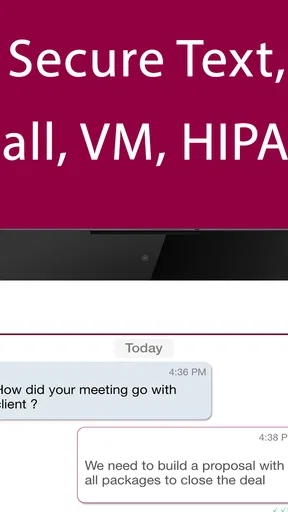
In today’s digital age, privacy is a big deal, and iPlum knows that. It offers end-to-end encryption for your calls and texts, ensuring that your communications remain private. This was a huge relief for me, knowing that my conversations are secure from prying eyes.
Moreover, the app doesn’t require a SIM card, so you’re not tied down to any specific mobile carrier. This flexibility makes it an attractive option for those looking to keep their personal and business communications separate.
Even with a separate line, I would treat privacy as a habit rather than a switch. I would be deliberate about which forms, profiles, and public listings receive the new number, and I would avoid putting both numbers in the same places without a reason. That reduces accidental mixing and makes it easier to retire or change the work contact later if circumstances change. A second number helps with separation, but it cannot control who saves or forwards the number once it has been shared.
User Experience
The user interface is clean and intuitive, which makes navigating through the app a pleasant experience. Everything is laid out logically, so you don’t need to be a tech wizard to figure things out. The app runs smoothly without any noticeable lag, and I didn’t encounter any crashes during my time using it.
Notifications are timely and customizable, ensuring that you never miss an important call or message. The app also allows you to customize ringtones and alerts, adding a personal touch to your communication experience.
One useful setup choice is to make the two lines easy to distinguish at a glance. A distinct alert for the business number can help me answer with the right greeting, especially when a call arrives while I am doing something else. I would also review notification settings after installing the app rather than assuming the default pattern fits my work hours. If every message triggers the same urgency as a personal call, the second number can add noise instead of reducing it.
Shortcuts are only useful when they support a repeatable routine. I might check the business inbox at the start and end of a work block, return missed calls in one batch, and use a consistent voicemail greeting that sets a realistic expectation for callbacks. That approach makes the app easier to manage without pretending it can enforce office hours for me. If a number is advertised as available all day, callers may still expect a prompt response even when I have silenced notifications.
Who Can Benefit from iPlum?
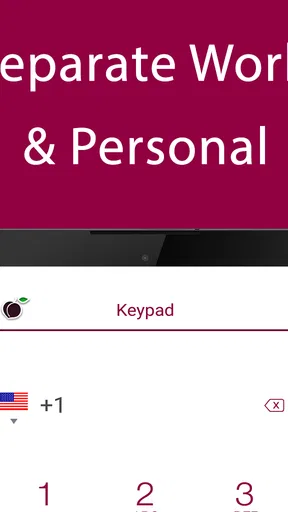
If you’re a freelancer, entrepreneur, or anyone who needs to separate personal and professional communications, iPlum is a fantastic tool. It’s also great for those who travel frequently and need a local number to avoid hefty roaming charges.
Parents might also find it useful for keeping their children’s phone usage in check. By giving them an iPlum number, you can control who they communicate with and ensure they’re not overusing mobile data.
I would be more cautious about the travel use case than the separation use case. International calling and texting are available, but a second number should not be treated as a guarantee that every trip will be cheaper or that service will work in every circumstance. Before relying on it abroad, I would check the current calling options and charges that apply to the places I need to contact, then keep another way to reach essential people. That small bit of planning matters more than assuming a second number alone solves roaming concerns.
For parents, I would not treat a second number as a substitute for age-appropriate supervision or family rules. It can create a distinct contact point, but the useful question is whether the child’s actual communication needs fit the service and whether the parent can manage the arrangement responsibly. Someone who wants a phone experience designed specifically for children may be better served by a dedicated family or parental-control solution instead.
Settings and costs to check before building a routine
The app is free to install, but it also offers in-app purchases ranging from $0.99 to $35.99 per item. I would check the current plan and purchase details inside the app before choosing a number for ongoing business use. In particular, make sure the option you select matches the way you expect to call and message; a low-friction start is less helpful if the recurring arrangement does not suit your actual workload.
That is also why I would test the line with a small number of trusted contacts before printing it on materials or adding it to every public profile. Confirm that incoming calls and messages reach you as expected, try the greeting you plan to use, and see whether the notification pattern is manageable. A brief trial of your own workflow can reveal whether you need forwarding or whether a basic second line is enough.
The app has been available since October 4, 2015, and its current version is 6.2.9. It is rated for Everyone and supports Android 9 or later. Those details make it sensible to check device compatibility before planning to move a business contact over, particularly if you rely on an older phone. Its average rating is 3.7 from around 7,300 ratings, alongside about 1,200 written reviews, while more than a million users have installed it. I take that as evidence of a sizeable audience, not a promise that every person’s carrier, phone, or work pattern will behave identically.
Final Thoughts
All in all, iPlum delivers on its promise of a reliable and feature-rich second phone number app. Whether you’re looking to expand your business, maintain privacy, or simply want a separate line for personal use, this app has got you covered.
With a combination of affordable pricing plans, robust security features, and seamless functionality, it’s definitely worth checking out if you’re in the market for a second phone number. So go ahead, give iPlum a try, and see how it can simplify your communication needs.
My final test would be practical rather than technical: can I tell which line is ringing, respond to the work messages at a sensible time, and keep personal contact details out of routine business exchanges? If yes, the second number is doing useful work. If I find myself monitoring both lines constantly or need several people to share a carefully managed queue, I would choose a different setup rather than expecting one app to fix a process problem.
For a freelancer or small operator who wants a distinct business contact on an existing phone, I think iPlum is worth considering, especially if voicemail, forwarding, and an auto-attendant match the way calls arrive. I would skip it if all I need is a temporary extra contact, if my existing carrier already handles two lines exactly as I want, or if my business needs a more involved team phone system. The best result comes from choosing a clear purpose, checking the purchase terms, and building a simple routine around the number.
Verdict
Strengths of iPlum: 2nd Phone Number App
- Easy setup and intuitive interface.
- Affordable pricing for premium features.
- Reliable call quality and messaging.
- Supports international calls seamlessly.
- Customizable voicemail options.
Limitations of iPlum: 2nd Phone Number App
- Limited free version features.
- Occasional app crashes reported.
- Ads can be intrusive at times.
- Some features require premium upgrade.
- No desktop app version available.
Similar Picks in This Category
View All
LinkedIn: Community & Network
LinkedIn3.8

Zoom Workplace
zoom.com4.1

Microsoft Teams
Microsoft Corporation4.6

Meta Business Suite
Meta Platforms, Inc.4.6

Webex Meetings
Cisco Systems, Inc.4.5

TeamViewer Remote Control
TeamViewer4.4
Frequently Asked Questions
What is iPlum and how does it work?
iPlum is a mobile application that provides users with a secondary phone number, allowing them to separate personal and professional communications on the same device. It offers features like call forwarding, voicemail, and texting, making it ideal for business use. The app operates over VoIP, ensuring affordable international calls.
Is iPlum secure for business communications?
Yes, iPlum prioritizes security with its encrypted communication channels, ensuring that your calls and messages remain private. The app complies with HIPAA and other industry standards, making it a safe choice for professionals who need to handle sensitive information securely.
How much does iPlum cost and are there any hidden fees?
iPlum offers various pricing plans to suit different needs, including pay-as-you-go and monthly subscription options. While the app itself is free to download, users must purchase credits or subscribe to a plan to access calling and texting features. It's transparent with no hidden fees.
Can I use iPlum internationally and how does it handle roaming charges?
iPlum is designed for global use, allowing you to make and receive calls in over 200 countries. Since it uses VoIP technology, it bypasses traditional roaming charges, providing a cost-effective solution for international communication. However, you'll need a stable internet connection to ensure call quality.
What devices are compatible with iPlum?
iPlum is compatible with both Android and iOS devices, offering a seamless experience across smartphones and tablets. Users can easily download the app from Google Play Store or Apple App Store. It requires an active internet connection, either via Wi-Fi or mobile data, to function effectively.
